

Who should own your website accounts?
You should. The business, in its own name, on an account you can log into yourself. The people who help with the site can have their own access to do their work. But the accounts themselves, and the card that pays for them, should sit with you.
That sounds obvious. In practice it’s often the bit nobody wrote down. A site gets built, somebody sets up the domain and hosting so it can go live, and a few years later the person holding the keys has moved on. Nothing goes wrong for ages. Then a renewal reminder lands in an inbox nobody reads any more.
What we see when a site changes hands
When a site comes to us from someone else, or a client asks us to help untangle their access, the same sort of scatter tends to turn up. A registrar login that lives in one person’s password manager, so nobody else can get in. A certificate close to its expiry date, and no clear answer on who renews it.
Accounts get set up in a hurry by whoever is doing the work, and nobody goes back to tidy them. It’s usually easy to sort while everyone involved is still around to answer questions.
Checking who holds your domain
Your domain is your address on the web, yourbusiness.co.uk. You don’t buy it outright. You register it for a set period through a company called a registrar, then renew it. Whoever is named as the registrant is the legal holder, and that should be you or your company.
We don’t keep clients’ domains in our own account. Hosting can move from one provider to another fairly easily. Moving a domain is messier, so it’s best left with you from the start.
What we sometimes do is use Cloudflare. The domain stays registered to you, but its name servers point at Cloudflare, where we have access to do our side of the work.
The registrant name decides who can prove the domain is theirs. The email address on the registrar account matters just as much, because that’s where the renewal reminders go. If it belongs to a developer you stopped working with years ago, so do the reminders.
Once a lapsed domain is suspended, your website stops loading. So does any email that runs on that domain. Registrars usually give you a short window to renew after the expiry date, but it isn’t a window you want to be testing.
To see who holds yours, look it up. ICANN’s free domain lookup shows the registrar and expiry date for .com, .org and other generic endings. Nominet, which runs .uk, has its own lookup for .uk domains. Personal details are often hidden, but you’ll normally see the registrar, which tells you where to log in. It won’t tell you who has the password.
Finding out where your site is hosted
Hosting is the server your website’s files and database live on. It’s separate from your domain, and often with a different company. The domain points visitors at the hosting.
There are two common set-ups. In one, the hosting account is in your name, you pay for it, and your developer has access. In the other, the site sits on your developer’s or agency’s account and you pay them for hosting as part of a monthly fee. Both are normal. We host client sites ourselves, so we’d hardly argue against the second one.
What matters is that you know which one you’ve got. Two clues you can check yourself: the domain lookup above lists your name servers, which often name your host or Cloudflare, and hosting usually shows up on a bank statement as a monthly or yearly payment. Then ask whoever provides it:
- Whose account is my site on, and with which company?
- Are there backups, and could I have a copy if I asked?
- If I moved to someone else, how would the site get to them?
- Who do I contact if the site goes down?
If the answer about moving is vague, get it in writing now. It’s a much easier conversation when nothing’s broken.
What happens when an SSL certificate expires?
The SSL certificate is what lets your site load securely over https. When it expires, browsers stop trusting the connection. Instead of your homepage, visitors get a full-page warning that the connection isn’t private. Some will click past it. Plenty won’t, and you can’t really blame them.
Your contact form sits behind that warning too, along with everything else on the site. So an expired certificate can quietly cut off your enquiries until someone renews it.
On our hosting, Let’s Encrypt certificates renew automatically, so nobody has to remember. On sites we run through Cloudflare, the certificate comes from Cloudflare instead. Plenty of other hosts handle renewals automatically as well. Some certificates are still bought separately and renewed by hand, though, and that’s where renewals tend to slip. The reminder goes to whoever bought it in the first place.
To check yours, click the icon just to the left of the web address in your browser and open the certificate details. The expiry date is in there. Or run your domain through the free SSL Labs server test and look for the “valid until” date in the certificate section. Tick the box to keep the result off its public boards. Neither tells you who’s meant to renew it, so ask your host or developer.
How to give your developer access safely
The safest login is one you never share. Most systems let you add another user instead. In WordPress you can give your developer their own administrator account and remove it when the work is finished. Google Analytics, Search Console and many hosting control panels work the same way. When someone stops working with you, you remove their access and nothing else has to change.
Where a shared login can’t be avoided, two habits help:
- Send it through a password manager’s sharing feature, or a one-time link that stops working once it’s been opened. A normal email is the wrong place, because the password then sits in two inboxes for years.
- Change the password when the work is finished, or when someone who knew it moves on.
Turn on two-factor sign-in for your registrar and hosting accounts if they offer it, since between them they can take your whole site offline. Make sure the codes go to a phone the business controls. Our no-nonsense guide to WordPress security covers the wider basics.
What to ask for when your developer changes
When we take on a site from another developer, this is what we ask for before we move anything:
- The domain and hosting details.
- Access to the website itself, so we can see how it’s put together.
- Hosting and login access, so we can see the code.
- A handover from the last developer, if that’s possible.
That last one makes a real difference. When we moved Gentle Recovery’s membership site over to our hosting, their previous developer was very helpful and gave us a proper handover. It covered the site’s background and the historic issues they’d been working through, so we could get to the fixes quicker. The move itself is written up in our guide to moving a membership site safely.
If you’re the one ending a project, ask for the same things the other way round:
- Confirmation that the domain and hosting are in your name, or a clear note of whose account they’re on.
- A list of every account the site depends on: domain, hosting, Google Analytics, Search Console, your Google Business Profile and any paid plug-in licences.
- A short note on anything unusual about how the site is built.
Ask while the project is still fresh in everyone’s mind. Six months on, nobody remembers which email address they used for the registrar.
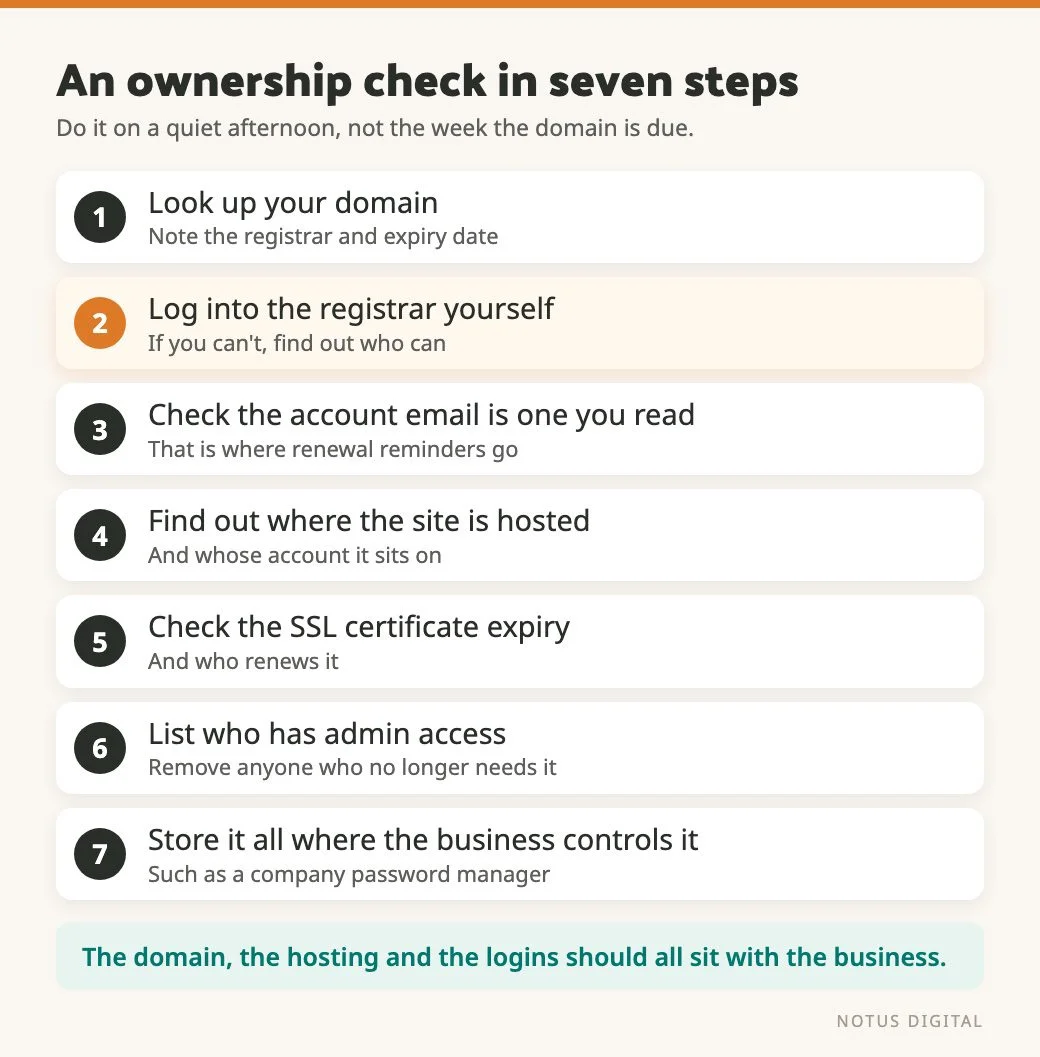
A quick ownership check you can do this week
- Look up your domain and note the registrar and the expiry date.
- Log into the registrar account yourself. If you can’t, find out who can.
- Check the email address on that account is one you actually read.
- Find out where your site is hosted and whose account it’s on.
- Check your SSL certificate’s expiry date and who renews it.
- List who has admin access to your website, analytics and Search Console, and remove anyone who no longer needs it.
- Store the details somewhere the business controls, such as a company password manager.
Most of the time goes on hunting down old passwords. Pick a quiet afternoon, well before anything is due, and put the kettle on first.
Questions about owning your domain, hosting and logins
Your business. The registrant should be you or your company, and the registrar account should use an email address you control. We don’t hold clients’ domains in our own account. Hosting can move between providers fairly easily. Moving a domain is messier, so it’s best kept with you. If a developer registered yours in their name or account, ask them to move it into yours.
Start by asking whoever built or looks after the site. Then check what you pay each month, because hosting often shows up on an invoice or a direct debit. A domain lookup tells you your registrar, which isn’t always the same company as your host.
Browsers show visitors a full-page warning that the connection isn’t private, before they see any of your site. Your forms sit behind that warning too. Many hosts, ours included, renew certificates automatically. If yours is bought and renewed by hand, find out now who is responsible for it.
Where you can, give each person their own account and remove it when they no longer need it. Where a login has to be shared, send it through a password manager or a one-time link rather than a normal email, and change the password once the work is done.
Confirmation of whose name the domain and hosting are in, a list of every account the site depends on, and a short note on anything unusual about how it’s built. If you’re moving to a new developer, a handover from the old one helps them fix issues faster.